
Complete all transactions with ease using hardware that suits your business

All the hardware essentials you need to get started
Let’s build your ultimate hardware solution in 3 steps

Step 1: Pick your device
Choose between a POS terminal or a tablet-based solution or a combination of both!
Tablet-Based POS
Opt for a portable tablet POS for seamless, efficient transactions anywhere.
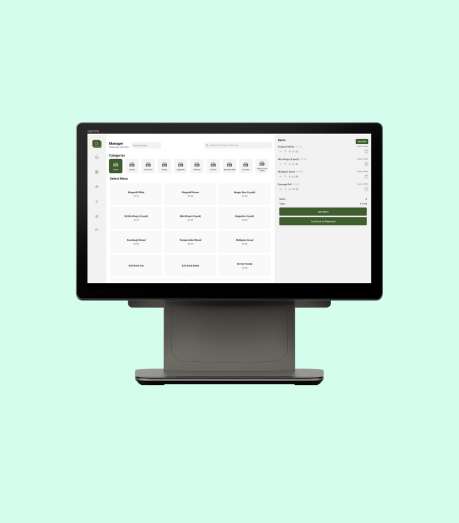
Durable terminal POS for fast, secure, and efficient transactions.
Terminal POS
Step 2: Choose your method of accepting payments
Choose between a physical card machine to accept payments or enable “Soft POS” to accept payments.

Seamless integrated payments for faster, secure transactions, combining card processing with your POS system.
Integrated Payments

Transform your point of sale into a payment terminal with Soft POS, enabling secure, contactless payments anytime, anywhere without the need for additional hardware.
Soft POS

Choose a printer to issue customer receipts and a cash drawer to accept cash payments. You can also skip this step if you’re a cash less business and offer only digital receipts.
Step 3: Choose a printer and cash drawer
Secure and sturdy cash drawer designed for efficient transactions, ensuring easy access and and simplifying end-of-day reconciliation.
Cash Drawer or Cash-less

Choose between high-performance printers for fast and reliable receipts.
Printer or Digital Receipt
Choose additional add-ons based on your business type
Hospitality
Step 4: Connect to your kitchen
Send orders directly to the kitchen using a Kitchen Display System (KDS) or a physical order printer.

Step 5: Choose your Self-Ordering Kiosk
Add a self-service kiosk to increase ATV and reduce queues, enhancing the customer experience.

Retail
Step 4: Connect to weighing scale
Integrate with a weighing scale for accurate measurements, improving inventory, portion control, and pricing efficiency.

Step 5: Choose a barcode scanner
Efficient integrated barcode scanner for quick, accurate product scanning, streamlining checkout processes and reducing errors for faster transactions.
