
Online table bookings with live table status
Let guests book a table online and pick exactly where they'd like to sit, with every table's status shown live from your restaurant. Online reservations and table bookings are included in the Essentials and Premium plans.
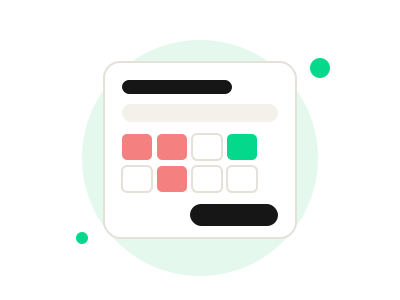
Why restaurants use online table bookings
Fewer phone calls
Guests book themselves at any time of day, so your team isn't tied to the phone during service.
No double bookings
Tables that are taken or out of use show as unavailable, so guests can only pick a free one.
Guests choose their spot
Ground floor or upstairs: guests see your table areas and pick the table that suits them.
How it works
- Guest fills in their details. Name, email and mobile number, plus how many guests are coming.
- Choose a date and time. Only times within your opening hours can be booked, and closed days show no times.
- Add anything you should know. Guests can mark a special occasion such as a birthday or anniversary, tell you about allergies and leave a note.
- Pick a table area and table. A "Table area" dropdown lists the parts of your restaurant, such as ground floor and upstairs. Each table shows its number and seats, with unavailable tables in red. Guests who don't mind can choose "No preference".
- Confirm the reservation. One tap and the booking is made.
Choose table (live status)
Only available tables can be picked. Statuses come straight from the restaurant.
Live table status, set by your restaurant
Table statuses come straight from your restaurant, so what guests see online matches what's happening on the floor. Close off an area or a table and it shows as unavailable straight away.
- Separate table areas, each with its own tables
- Seat numbers shown for every table
- Unavailable tables can't be picked
- Bookings only within your opening hours
- Special occasions, allergies and notes captured with every booking
See table bookings in action
Book a free demo and we'll show you how online bookings and live table status work for your restaurant.